Create a Digital Cleaning Plan
With Hyginify, you can create structured cleaning plans and manage tasks, responsibilities, and locations centrally. This guide walks you through the setup step by step - from creating tasks to generating QR codes for on-site documentation.
- Quick setupCreate tasks and plans in no time - no app needed, directly in the browser.
- Flexibly customizableConfigure locations, frequencies, and responsibilities to match your workflows.
Note: Hyginify is a tool for digital documentation and internal traceability. Scope and usage (e.g., photo/personal data, retention, permissions) are configurable. Compliance with legal and organizational requirements (e.g., data protection, operational regulations) is the responsibility of the respective organization.
Your digital cleaning plan in 4 steps
From setup to QR code: Here's how to set up tasks, responsibilities, and locations clearly.
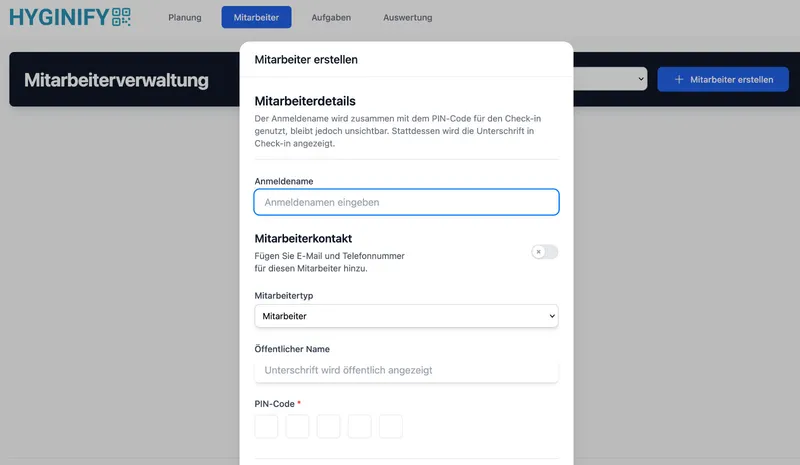
Add employees
Add your employees to the system. This way, entries can later be assigned to a user and internally tracked for evaluation - depending on your permissions and settings.
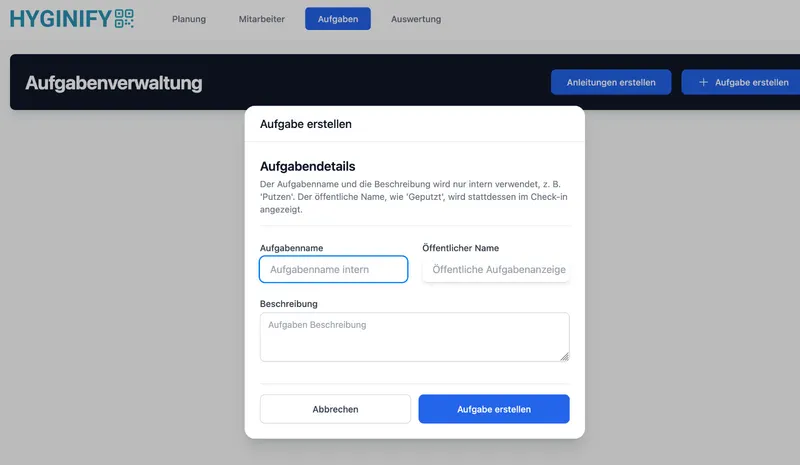
Define tasks
Create the tasks that need to be performed regularly. You can assign internal labels and define how the task is displayed during check-in - so that workflows remain consistent across your team.
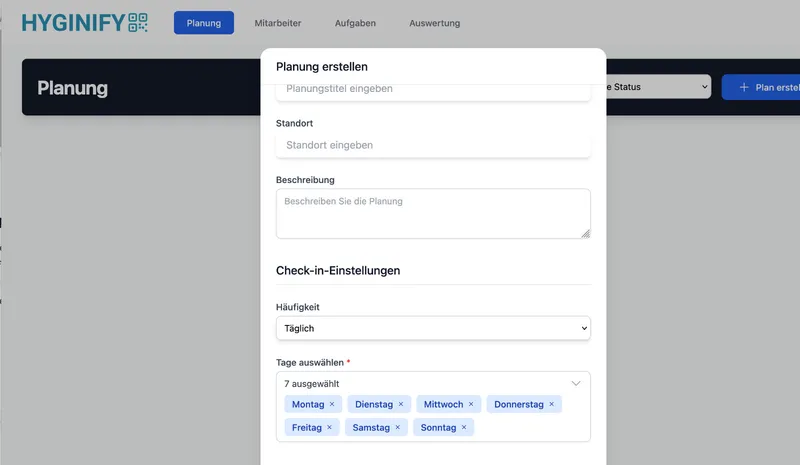
Create & assign cleaning plan
Create the plan per location: frequency, time slots, and responsibilities. Then assign tasks and employees - tailored to your internal workflows.
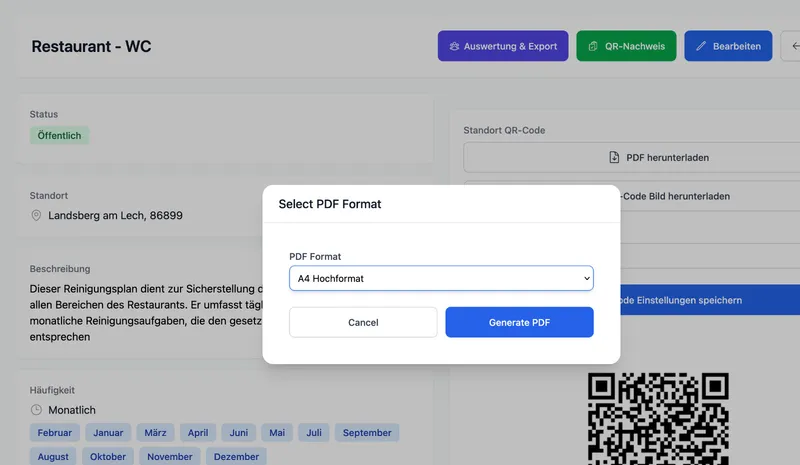
Generate QR code & place on site
Generate the QR code for the respective location and place it in a clearly visible spot. Employees can then document activities on site by scanning - directly in the browser, no app needed.
Say goodbye to paperwork. Switch to digital documentation.
Get started in just a few minutes with a clear, browser-based solution for documenting your cleaning processes.
Ready to get started?
Try it with no commitment. No payment details required.